Artikle - Membership Framer Template
Category:
Web Design
Client:
Artikle Inc.
Duration:
5 weeks
Artikle is a fully-featured membership template built for Framer. It combines a clean, editorial aesthetic with a robust content access system, giving you everything you need to publish articles, gate premium content, and grow a paying readership from day one.
My Approach
Artikle was designed around a simple belief: great content deserves a great reading experience.
Rather than treating articles as secondary elements hidden behind marketing pages, Artikle places publishing at the center of the experience. Every layout, interaction, and content structure was carefully considered to help writers, creators, publishers, and brands present ideas with clarity and authority.
The goal wasn't to create another blog template—it was to build a digital publication framework that elevates both the content and the people behind it.
Vision and Innovation
The modern web is crowded with distractions. Articles compete with pop-ups, excessive animations, and cluttered interfaces that often distract from the message itself.
Artikle takes a different approach.
The template combines editorial-inspired layouts, structured CMS architecture, and subtle interactions to create an environment where content feels intentional and easy to consume. Every section is designed to guide readers naturally from discovery to engagement while maintaining a strong visual identity.
By blending modern design principles with scalable content management, Artikle becomes a foundation that can grow from a personal publication into a fully-fledged digital magazine.
Identifying Unique Challenges
Publishing platforms face a unique challenge: balancing readability with discoverability.
Readers want a focused experience that allows them to consume information effortlessly, while creators need visibility, engagement, and content organization. Too much complexity overwhelms visitors; too little structure makes content difficult to navigate.
Artikle addresses this challenge through carefully organized content systems, intuitive navigation patterns, and layouts designed specifically for long-form reading.
The result is a platform that feels sophisticated without sacrificing usability.
Resolving Complex Problems
As content libraries grow, maintaining consistency becomes increasingly difficult.
Artikle solves this through a CMS-powered architecture that keeps articles, categories, authors, and editorial content organized and scalable. Dynamic article pages ensure every piece of content follows a consistent design system while remaining easy to update and manage.
Layout templates reduce repetitive work, allowing publishers to focus on creating content rather than rebuilding pages. The structure is designed to support frequent publishing while maintaining a polished and professional presentation.
User-Centric Design
Every design decision within Artikle starts with the reader.
Typography is optimized for readability, content hierarchy guides attention naturally, and layouts create a comfortable reading rhythm across desktop, tablet, and mobile devices. Visual elements support the story rather than compete with it.
Subtle interactions, thoughtful spacing, and structured content blocks help readers stay focused while exploring your publication.
The experience feels calm, intuitive, and purposeful from the first article to the last.
Meeting User Needs
Different audiences arrive with different goals.
Some visitors want to browse the latest articles. Others are searching for specific insights, topics, or perspectives. Publishers need a system that makes content management efficient while maintaining a premium presentation.
Artikle addresses all of these needs by creating clear pathways for content discovery, seamless article navigation, and scalable publishing workflows.
Whether you're building a personal publication, industry journal, company blog, or editorial magazine, the template provides the tools needed to engage readers and grow your audience.
Detailed Pages and Features
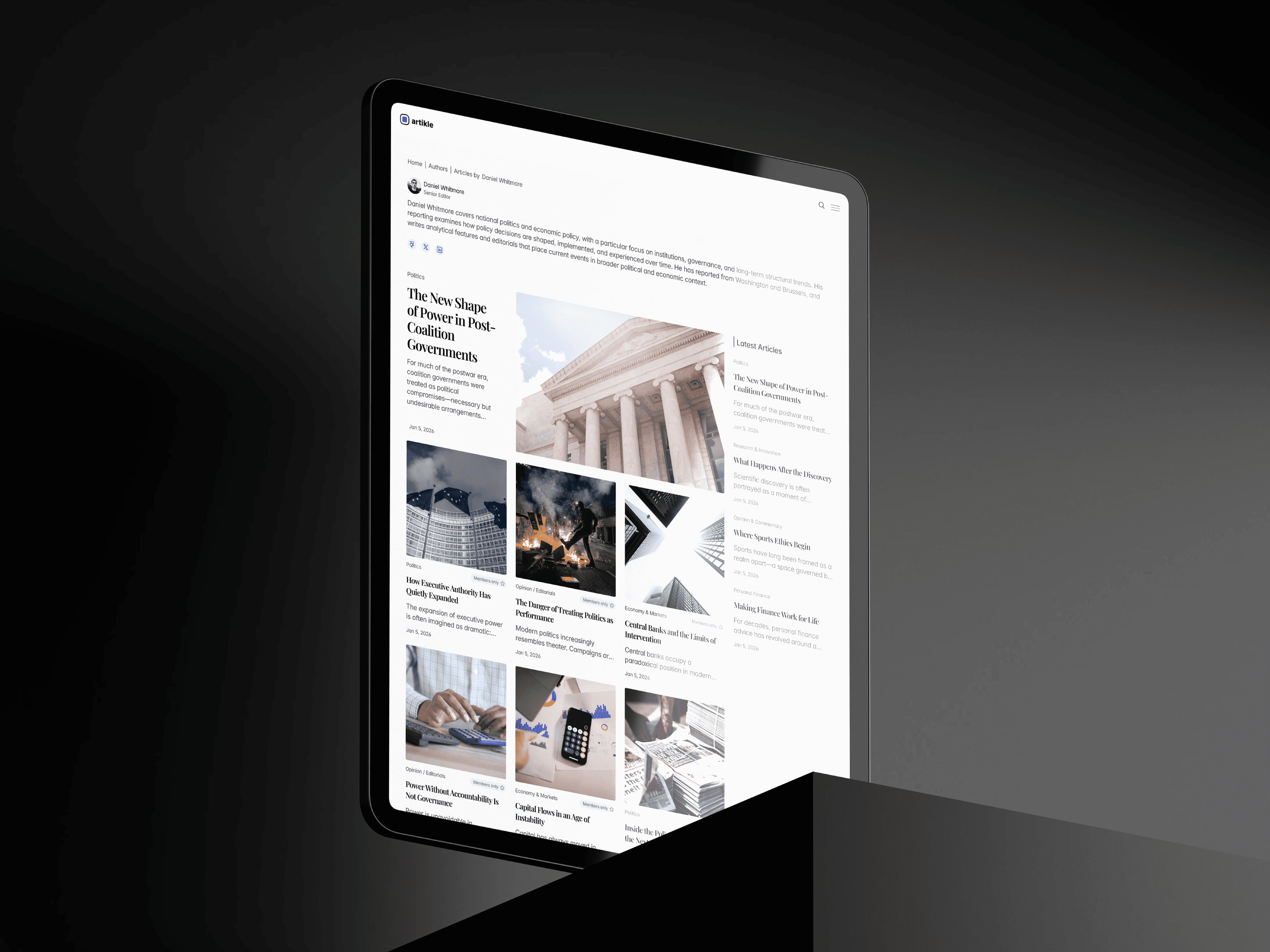
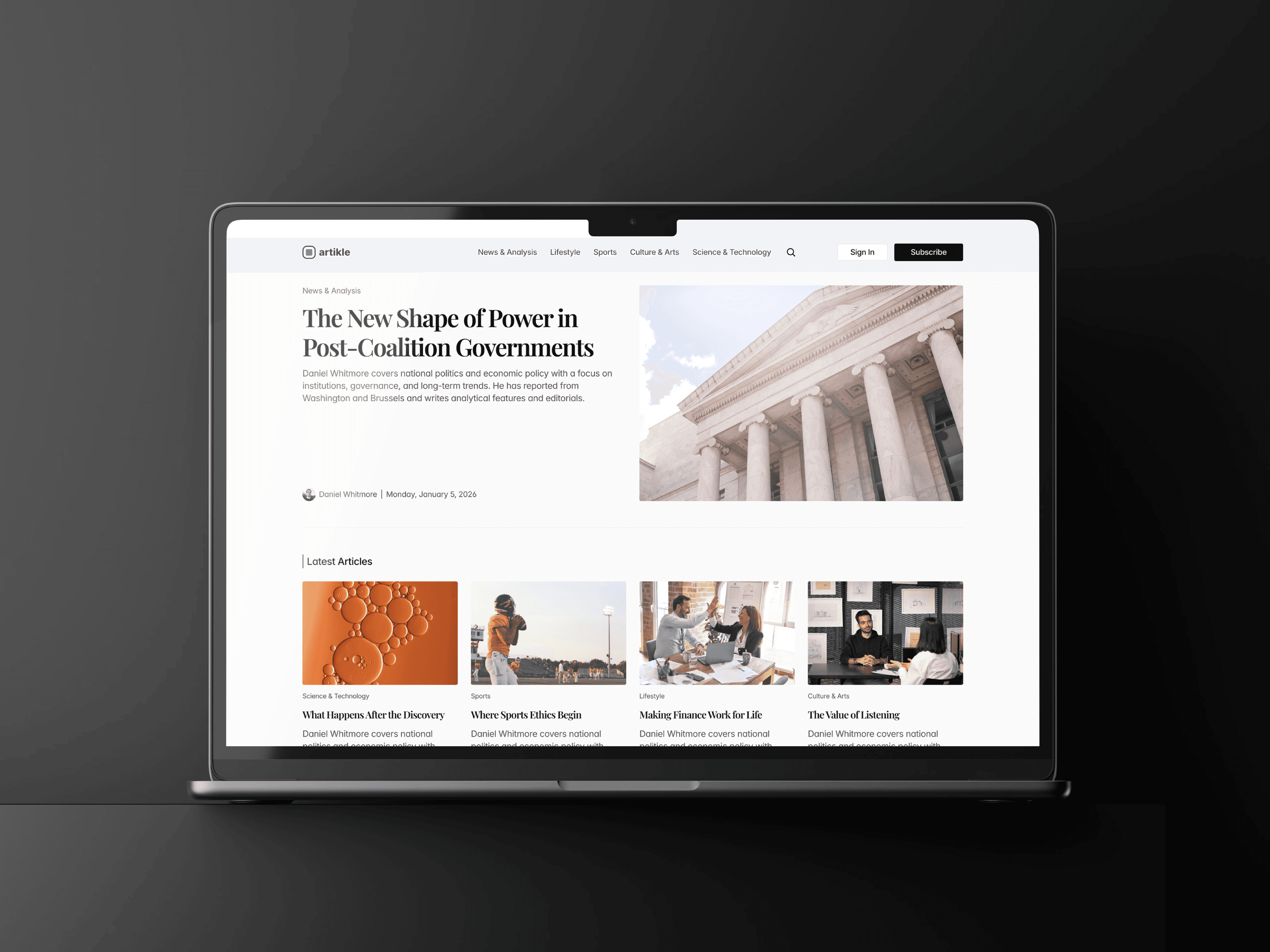
Home - The main feed of the publication. Features a hero article, a latest articles grid, curated recommendations, and category sections (News & Analysis, Science & Technology, Sports, Lifestyle, Culture & Arts) with subcategory spotlights alongside the main feeds.
Articles -The individual article page. Displays the full article content with support for free and members-only (gated) states powered by FramerAuth V2. Includes author profile, category tag, publication date, and a bookmark action.
Categories - A filtered feed page showing all articles belonging to a specific category. Used as the destination for "View More" links from the homepage category sections.
Subcategories - A filtered feed page for a specific subcategory (e.g. Personal Finance, Health & Wellness, Football, Technology). Allows readers to drill deeper into niche topics within a broader category.
Authors - A directory listing all authors contributing to the publication, with links to their individual profile pages.
Author page - A dedicated page for each author, showcasing their bio and a feed of articles they've written.
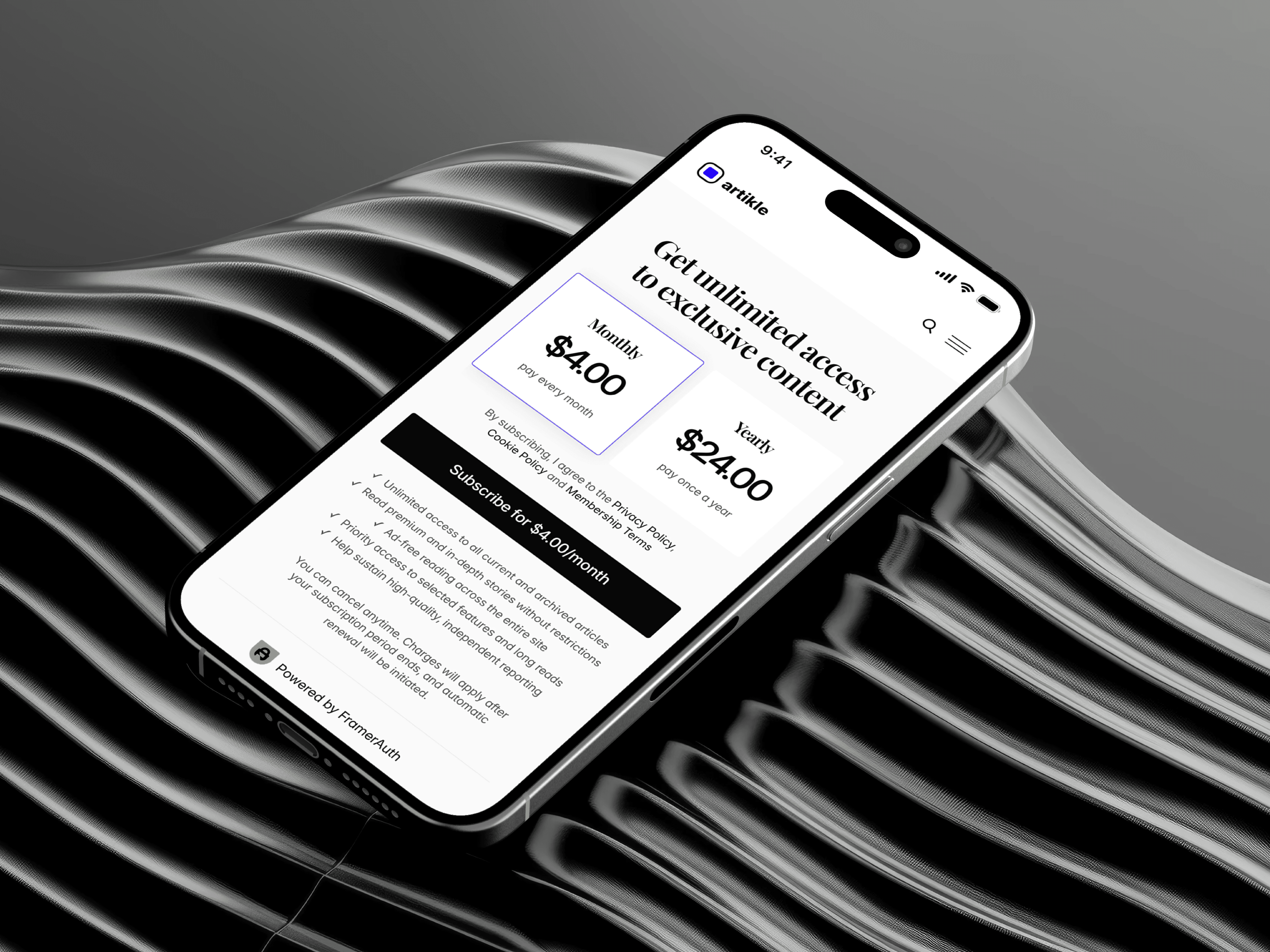
Subscribe - The membership subscription page. Displays pricing plans and prompts visitors to become paying members to unlock gated content. Powered by FrameAuth V2.
Sign-in - The standard login page for existing members. Email and password-based authentication via FrameAuth V2.
Sign-in-with-otp - An alternative login flow that initiates a one-time password (magic link) sign-in for passwordless authentication.
Otp - The page where users enter or confirm their one-time password to complete the magic link authentication flow.
Sign-up - The account creation page for new members registering to access the publication.
Forgot-password - Allows existing members to request a password reset link sent to their email.
Reset-password - The page where users set a new password after clicking the reset link from their email.
My-account - The member dashboard where logged-in subscribers can view and manage their account details and subscription.
Bookmarks - A personal saved articles page where members can revisit articles they've bookmarked while browsing the publication.
Success - A confirmation page shown after a successful subscription or payment, welcoming the new member.
Legal - A dynamic page for legal content such as Terms & Conditions, Privacy Policy, and Cookie Policy.
404 - The custom not-found page displayed when a visitor navigates to a URL that doesn't exist on the publication.
Conclusion
Artikle is more than a blog template—it's a complete publishing ecosystem designed for creators who value storytelling, clarity, and reader experience.
By combining editorial design principles with powerful CMS functionality, Artikle transforms content into a destination rather than a collection of pages. Whether you're sharing industry insights, personal perspectives, research, or company updates, Artikle provides the structure and flexibility needed to publish with confidence and credibility.
Other Projects



" height="25.00139023844741px" id="jBymG44fK" transform="translate(7.499 7.499)" width="25.001390238447406px"/></svg>)